Features

Everything Aira does today, one feature at a time. The recordings and screenshots are the real app, running demo projects.

Projects and spaces

Every repo is a project. Every folder you work in is a space.

  • A colour and an icon for each project.
  • Spaces: the root, a nested package, a worktree.
  • Each space keeps its own tabs, files and Git view.
  • Star a space to pin it to the Spaces tab.
  • Removing one never touches files on disk.
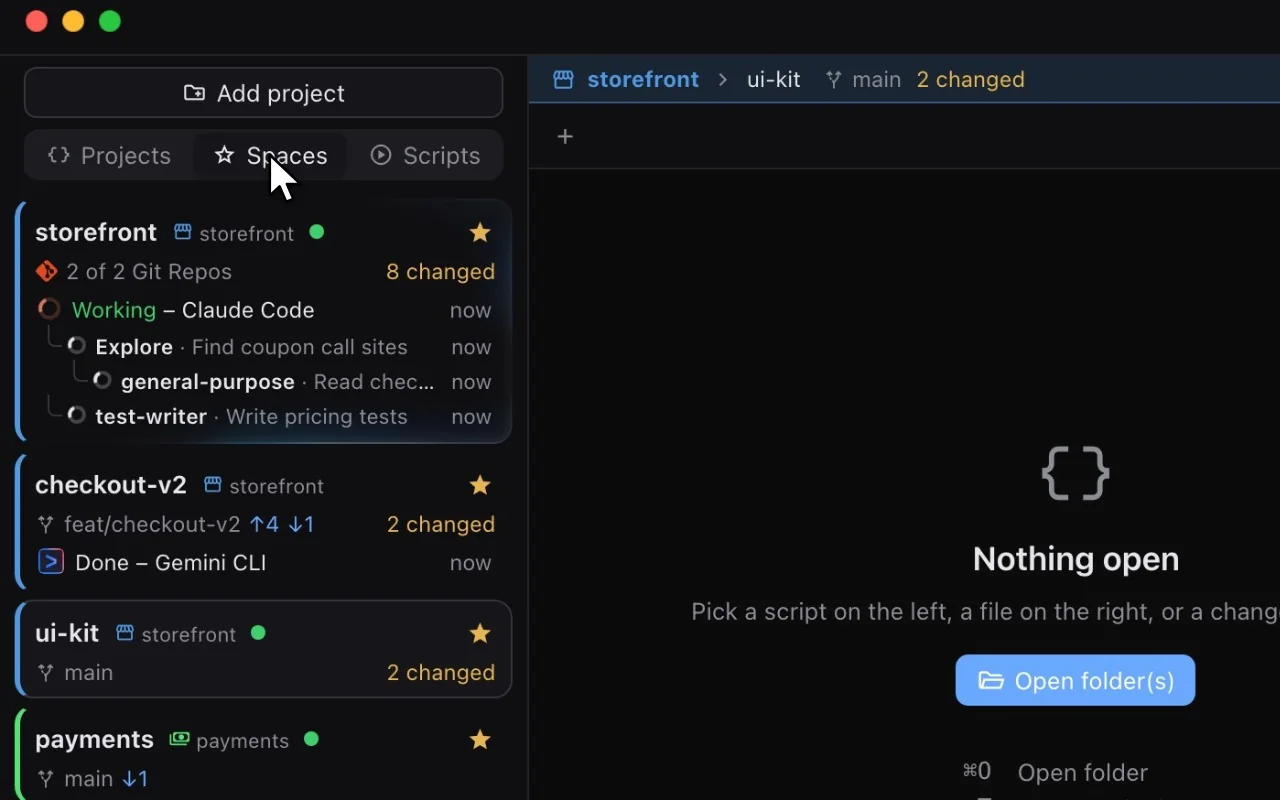
Recording: clicking the checkout-v2 space shows its own tab, a Gemini CLI session. Clicking ui-kit shows an empty window. Starring ui-kit and opening the Spaces tab lists the starred spaces from every project.
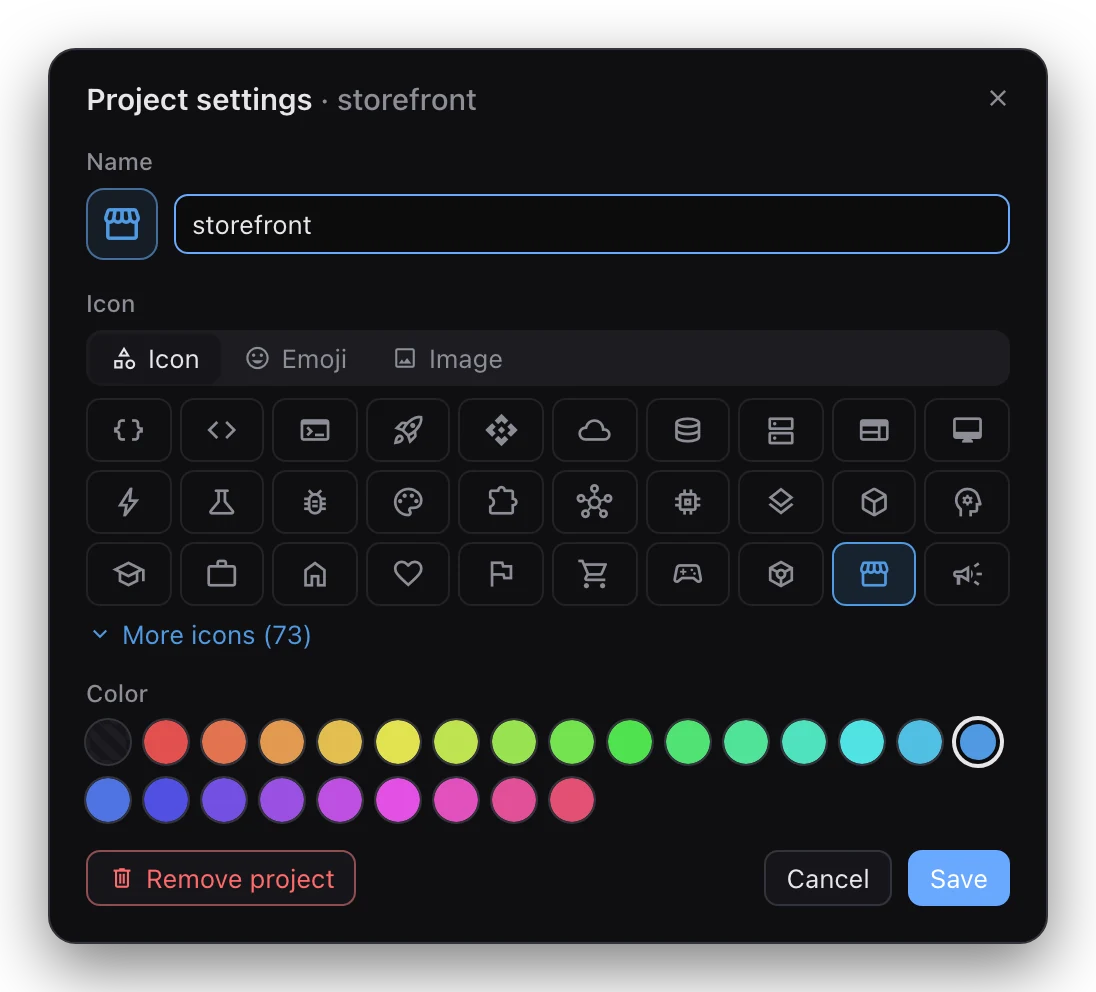
Project settings for storefront: its name, an Icon, Emoji and Image picker showing a grid of symbols, 24 colours plus the default, and Remove project.
Project settings: name, icon and colour.

Coding agents

Start any agent CLI from the + in the tab bar.

  • Twelve agents built in, plus any custom command.
  • Every space card shows Working, Needs input or Done.
  • Claude Code's subagents nest as they start.
  • A notification when an agent finishes or needs you.
  • Exact status for eight agents, terminal activity for the rest. How each is tracked
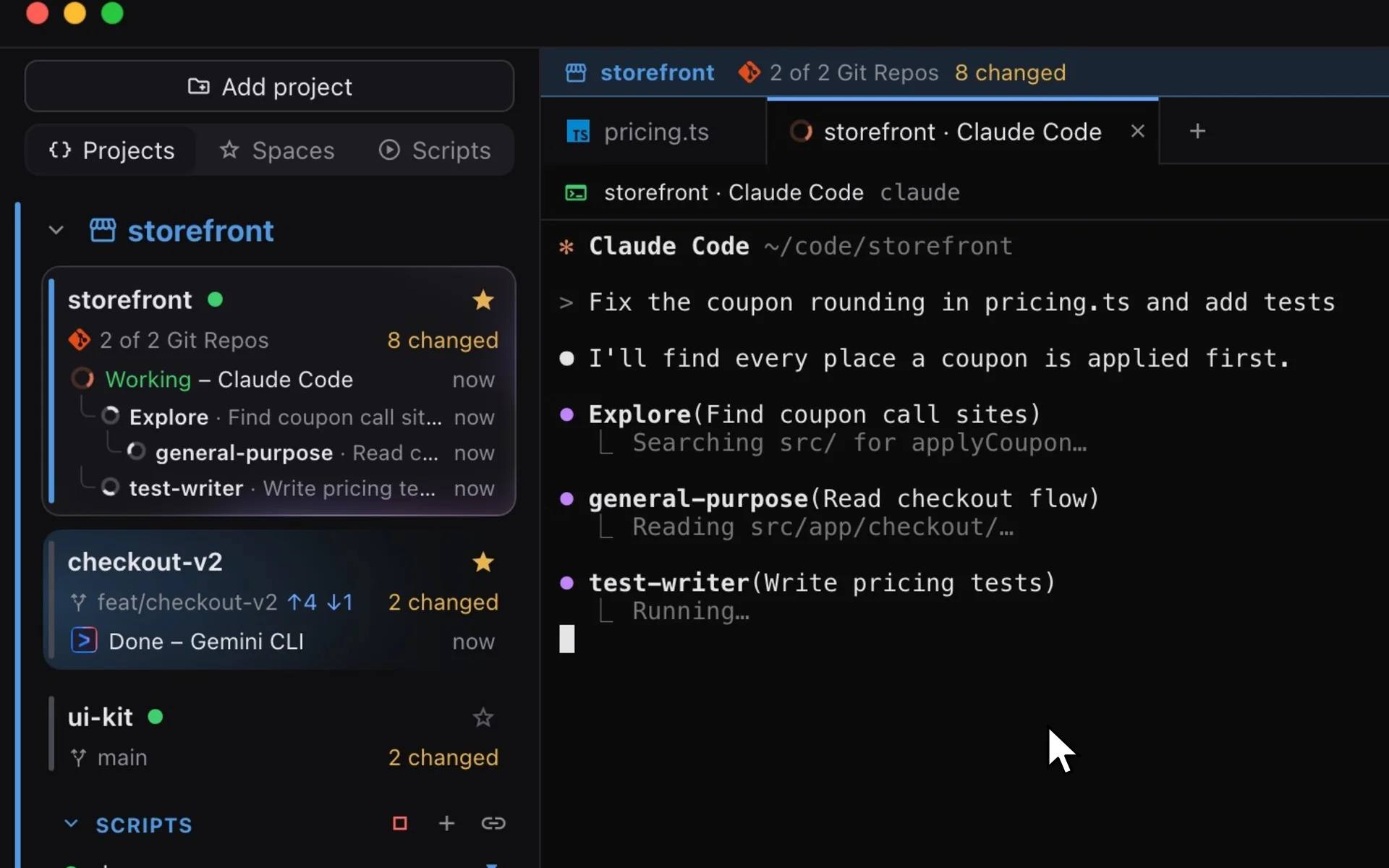
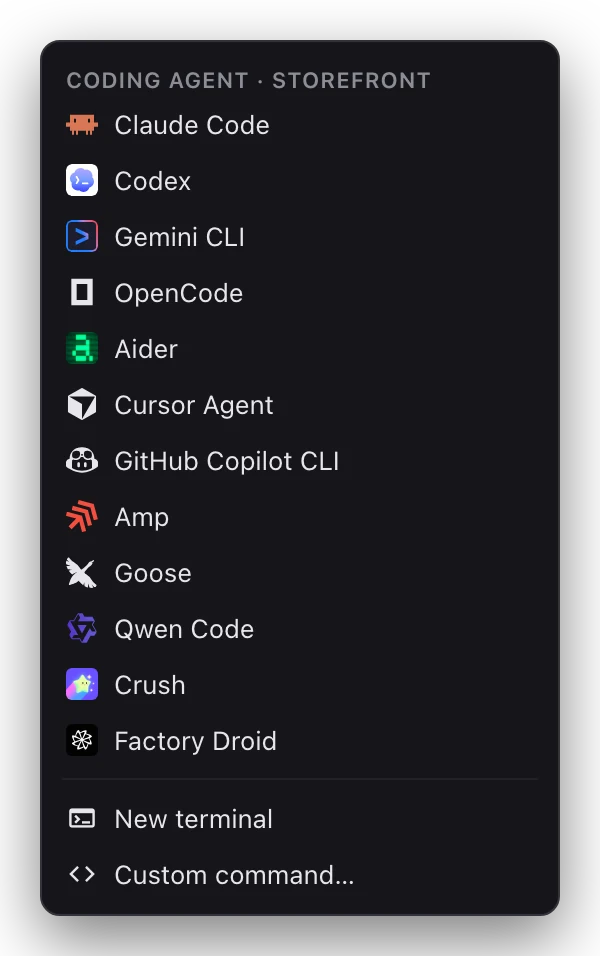
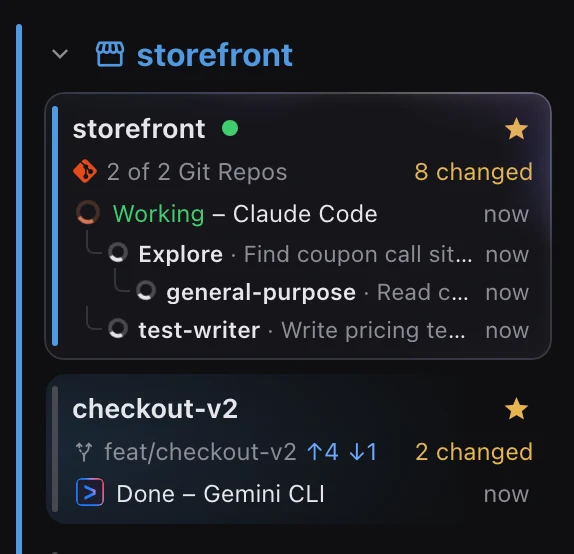
Recording: the plus button in the tab bar opens the agent menu and Claude Code is chosen. A task is typed into its session; the storefront card switches to Working, and as the session starts Explore, general-purpose and test-writer subagents they appear one by one in a tree under it. In the checkout-v2 space, Gemini CLI shows Done.
The agent menu from the plus button: twelve coding agents with their logos, then New terminal and Custom command.
The + menu.
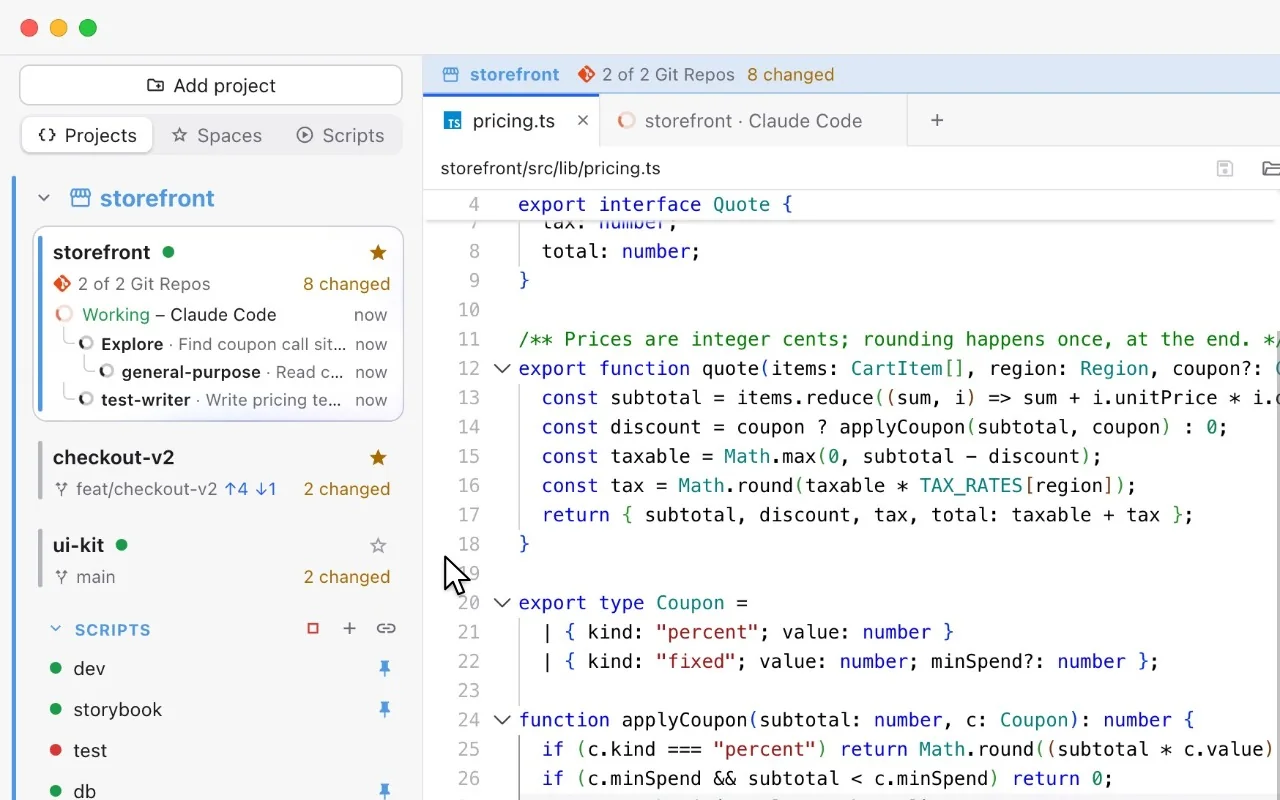
The storefront space card: Claude Code is Working, with Explore, general-purpose and test-writer subagents nested underneath.
Subagents, nested as they start.

Scripts

Your whole stack, one click.

  • Twelve runners, from bun to make, or any command.
  • Scripts found in package.json and the Makefile.
  • Pin scripts; Start runs them together.
  • Each gets a tab in the project's scripts window.
  • Failures turn red and keep their log.
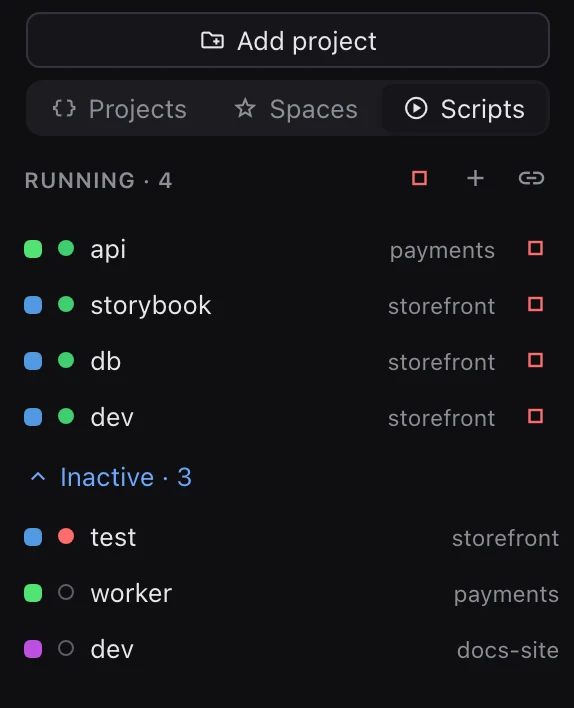
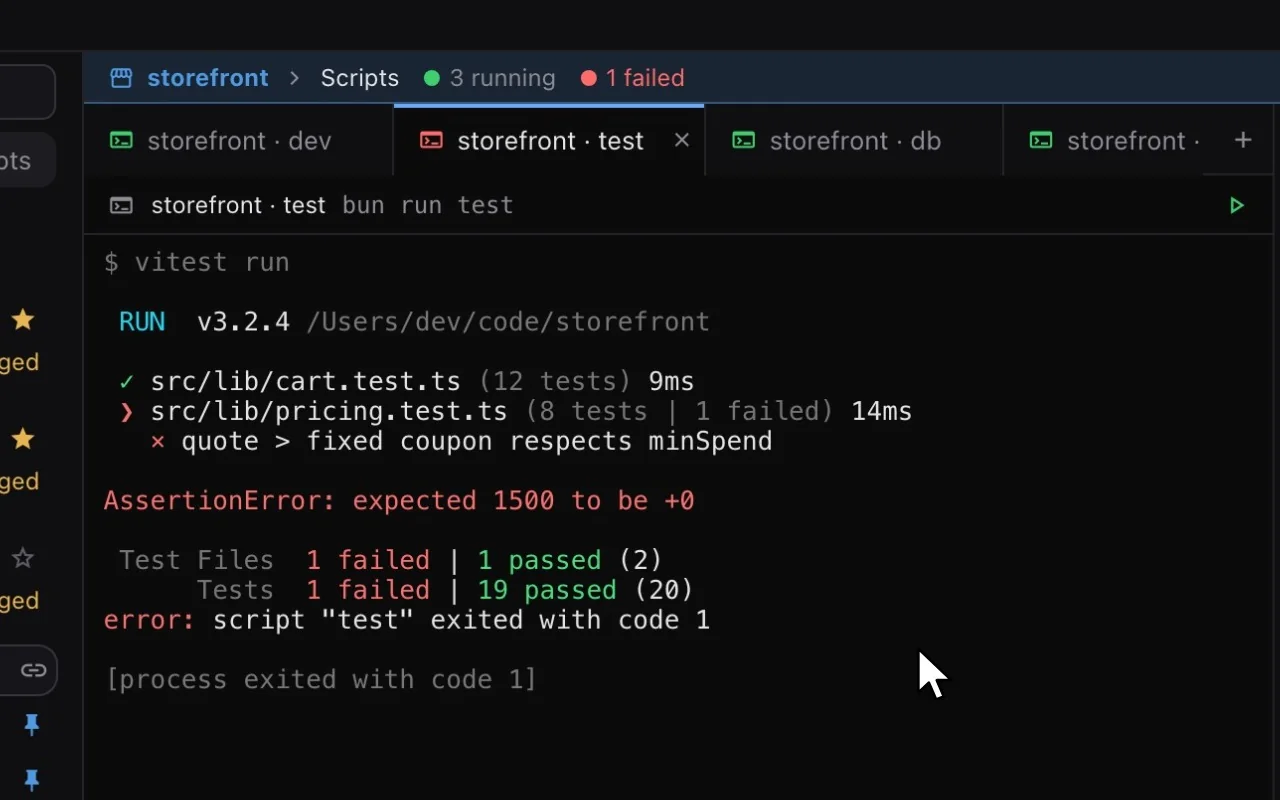
Recording: in the sidebar, the Start button next to storefront's pinned scripts is clicked. dev, storybook and db turn green and open as tabs in the scripts window while the Next.js dev server log streams in. Then Run on the test script: it fails, its tab turns red and the window reads 3 running, 1 failed.
storefront's scripts in the sidebar: dev, storybook and db running and pinned, test failed.
Pinned scripts, running and failed.

Git

One changes tree for every repo in the project.

  • Diff any file against HEAD.
  • Commits go to one repository at a time.
  • Generate drafts the message. Pick the provider
  • Amend, commit and push, pull, fetch all.
  • Branches, worktrees and rollback, all built in.
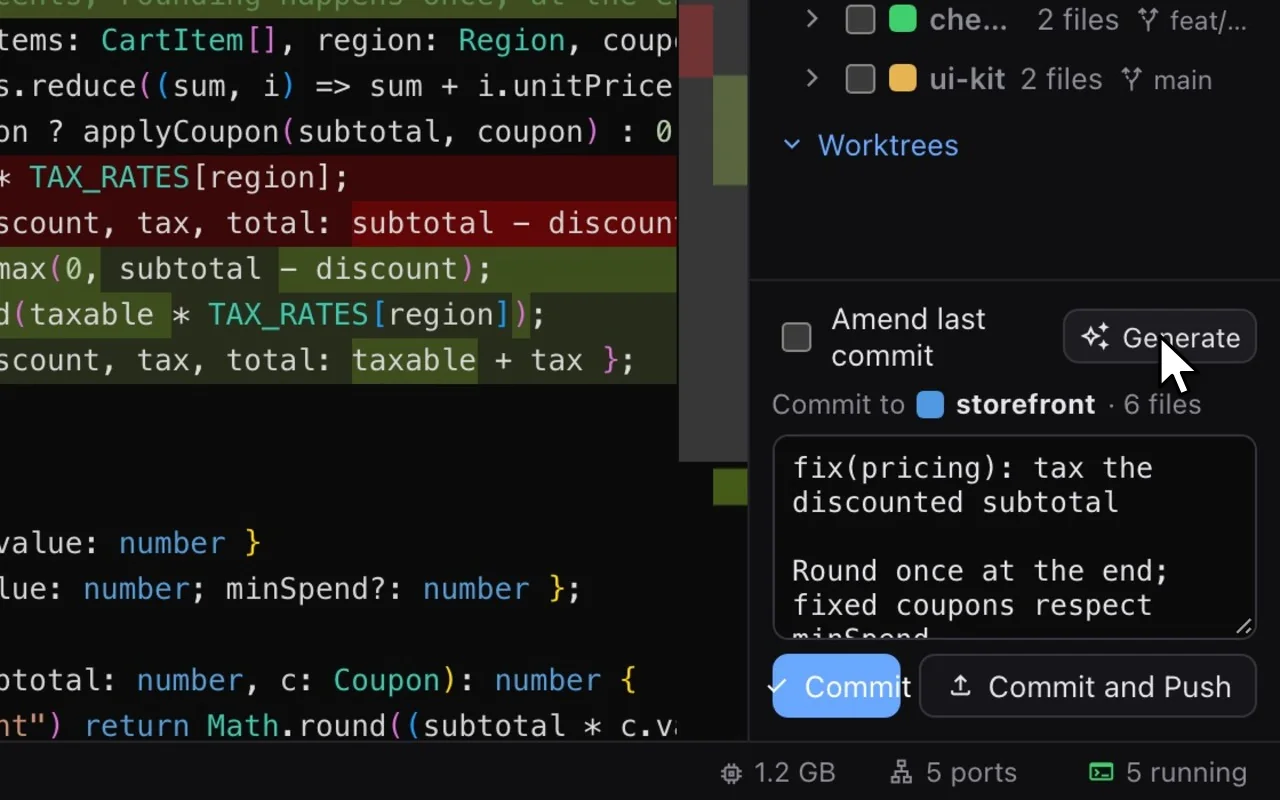
Recording: the Git tab lists changes from three repositories. Clicking pricing.ts opens its diff against HEAD, Generate writes a commit message from the checked files, and Commit removes storefront's files from the list.

Ports and memory

See what's on a port, and free it.

  • Ports grouped by project.
  • A port blocking a script gets flagged.
  • Search any port number.
  • Scripts stop on the spot; other processes ask first.
  • Memory for every terminal, every two seconds.
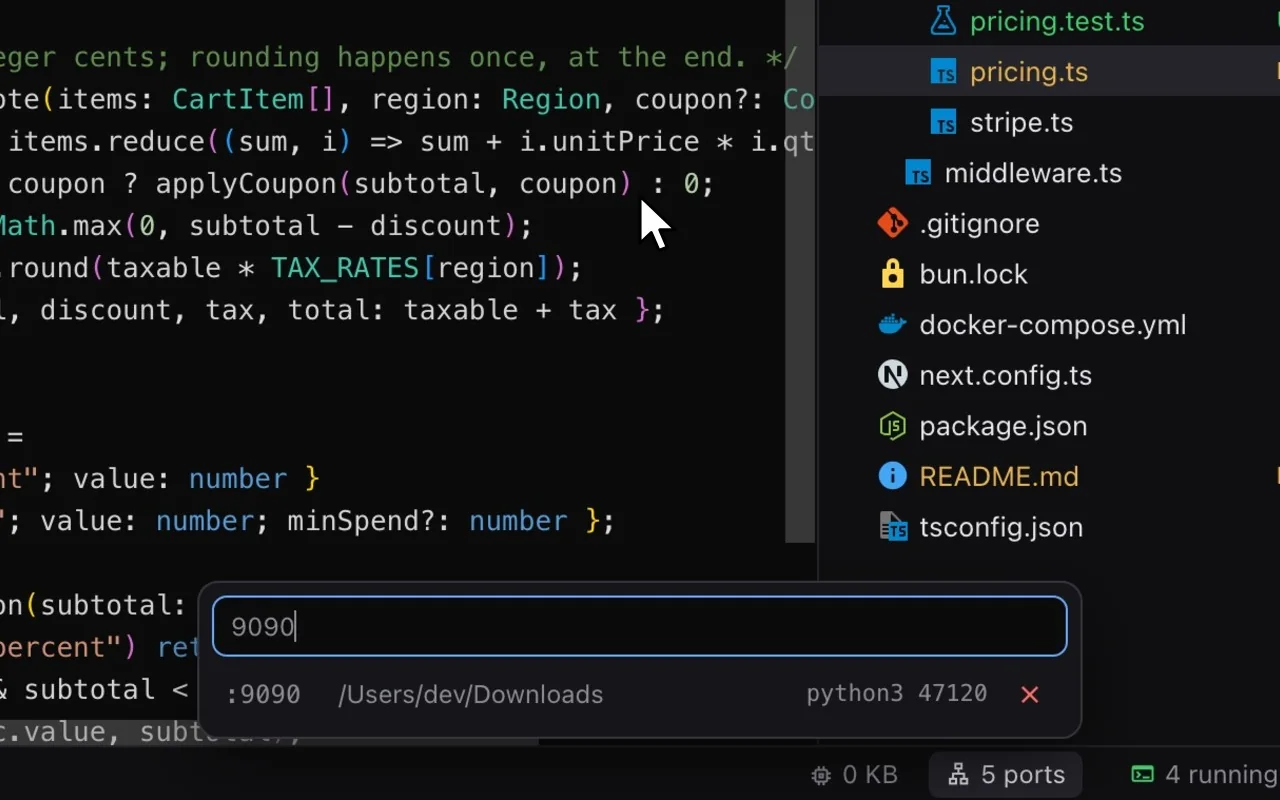
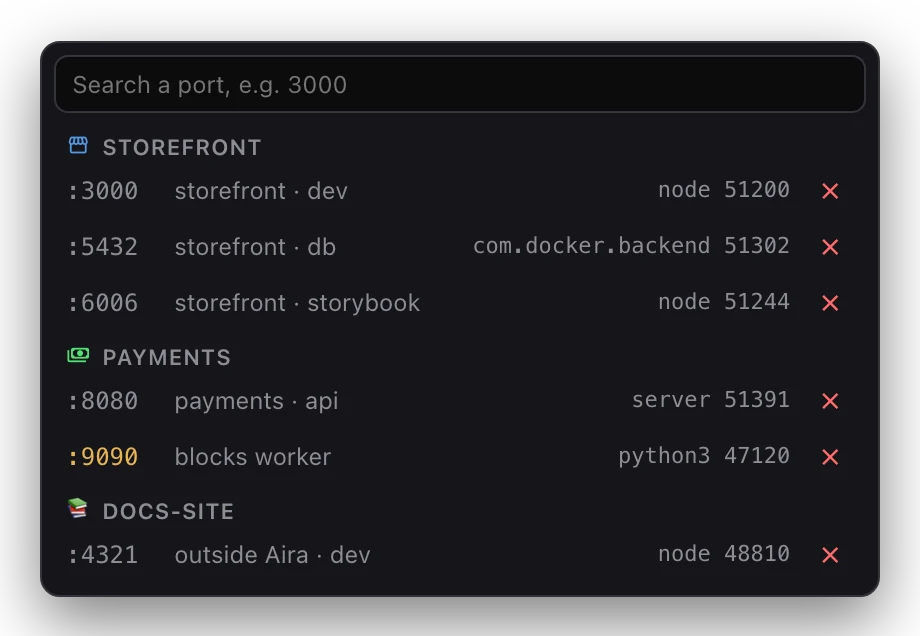
Recording: the ports button in the status bar opens the ports list. Typing 9090 finds a python3 process from the Downloads folder; freeing it leaves "No process of yours is listening on :9090".
The ports list grouped by project: storefront's dev, db and storybook ports, payments' api and a blocked port 9090, and one process started outside Aira.
Ports, grouped by project.

Terminals

Your login shell, in the space you're in.

  • ⌘T for a new one, or Open Terminal Here on any folder.
  • Double-click a tab to rename it. ⌘K clears.
  • Every running terminal and its memory, in the status bar.
  • Optional GPU rendering for heavy output.
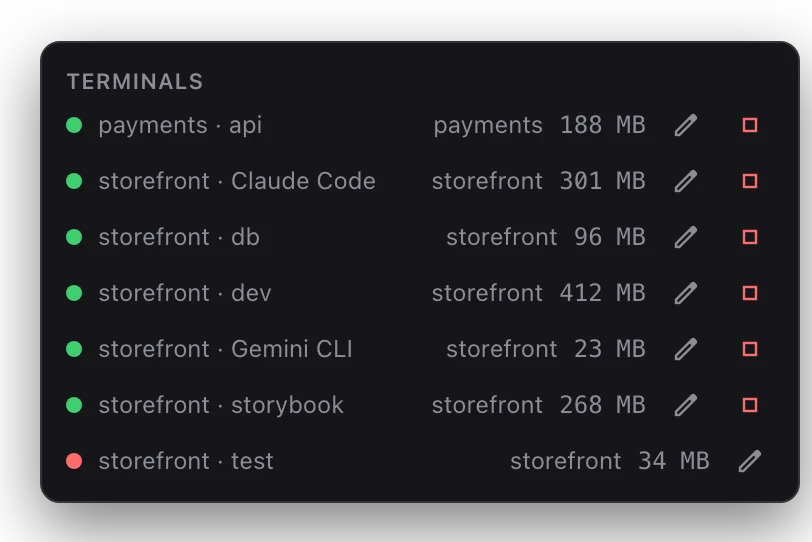
The Terminals list from the status bar: running terminals across projects, each with its memory.
Every running terminal, with its memory.

Editor and themes

Light on purpose: Monaco, no language servers.

  • Click to preview, double-click to keep. ⌘S saves.
  • New file, new folder, Reveal in Finder, Copy Path.
  • Dark, Light, or follow macOS.
  • Any installed font, sizes 9 to 28.
Recording: Settings opens with the Dark theme selected. Choosing Light turns the whole window light, and closing Settings shows the editor and sidebar in the light theme.
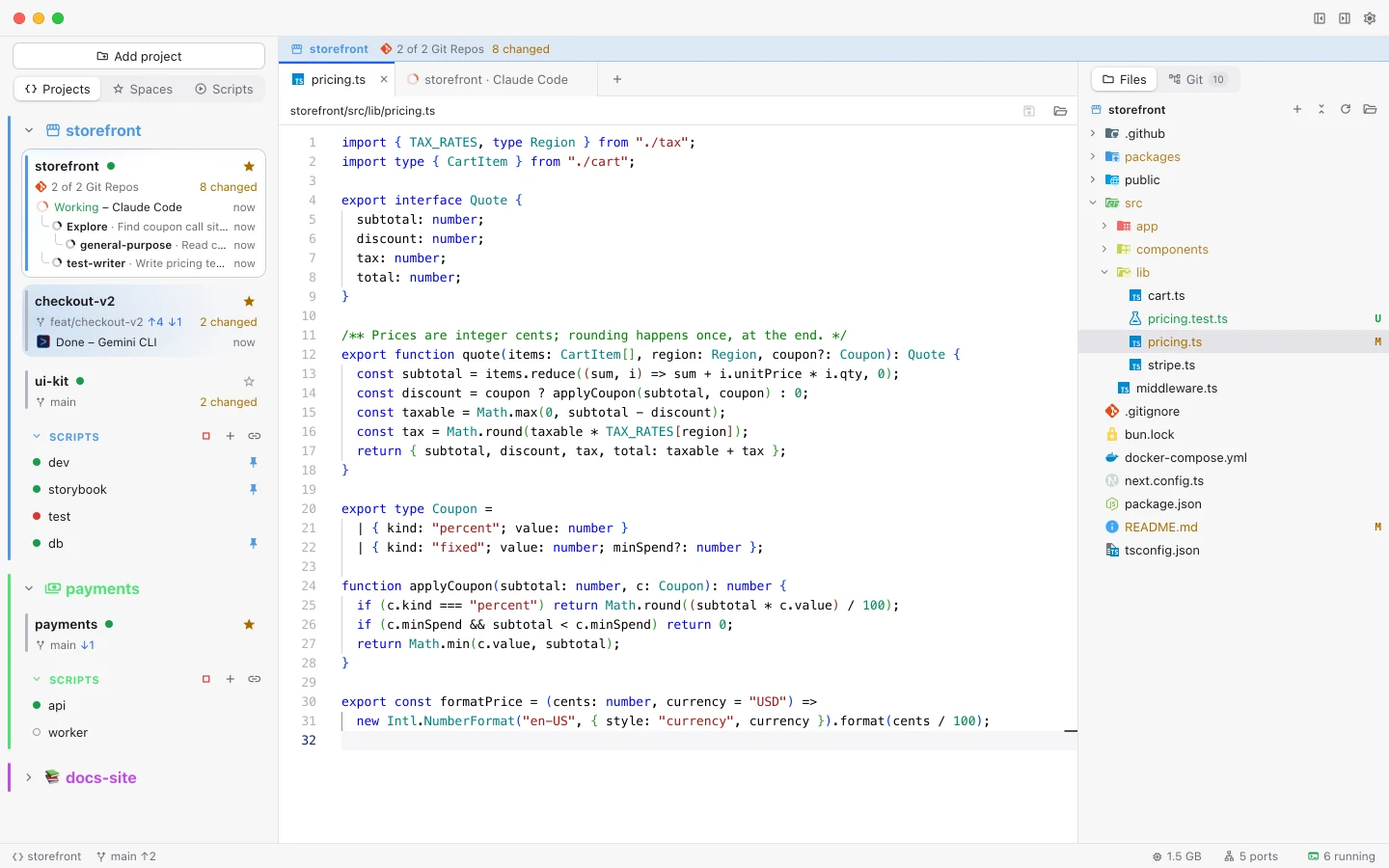
Aira in the light theme: the same three projects in the sidebar, pricing.ts in the editor and the file tree on the right.
The light theme.

AI commit messages

Bring your own model. Nothing is sent until you press Generate.

  • Cloud: Anthropic, OpenAI, Gemini, OpenRouter, Groq, Mistral, DeepSeek, xAI.
  • Local: Ollama, LM Studio, any OpenAI-compatible server.
  • Agent CLIs: Claude Code, Codex, Gemini CLI, OpenCode, on your own login.
  • Keys stay in the macOS Keychain.
  • Some providers ask once before the first send. How each was reviewed
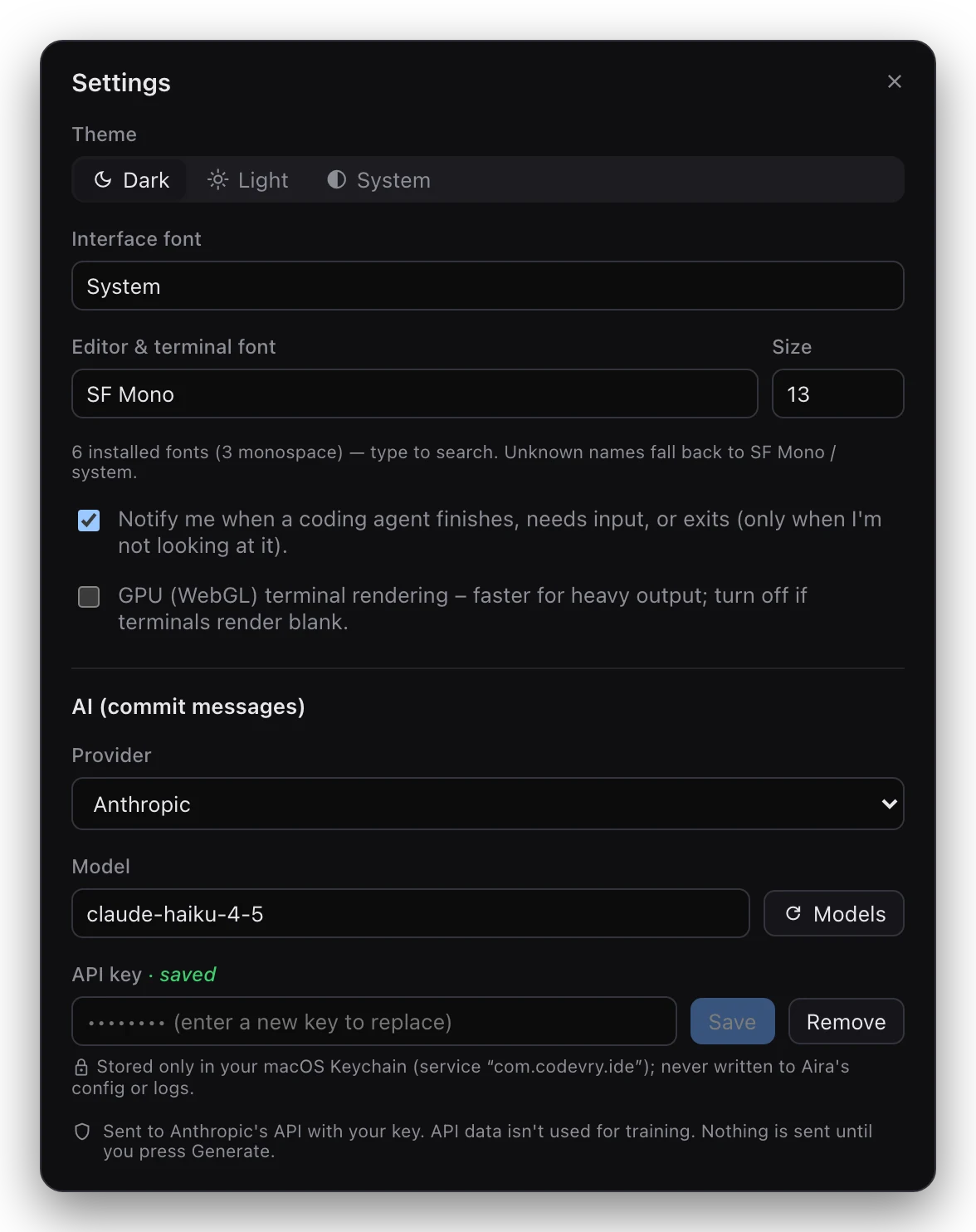
Aira's Settings: theme, interface font, editor and terminal font and size, notifications, GPU rendering, and the AI commit message provider, model and API key.
Settings, with the commit-message provider at the bottom.